

When you click the below link, it will take you to the folder containing the images for display. how can I change it so instead of the folder showing, the images immediately display without having to open the folder?
https://casadeoro.com/index.php/designe ... ve-jewelry
Image Display
-
Benno

- Phoca Hero

- Posts: 10300
- Joined: 04 Dec 2008, 11:58
- Location: Germany
- Contact:
Re: Image Display
Hi,
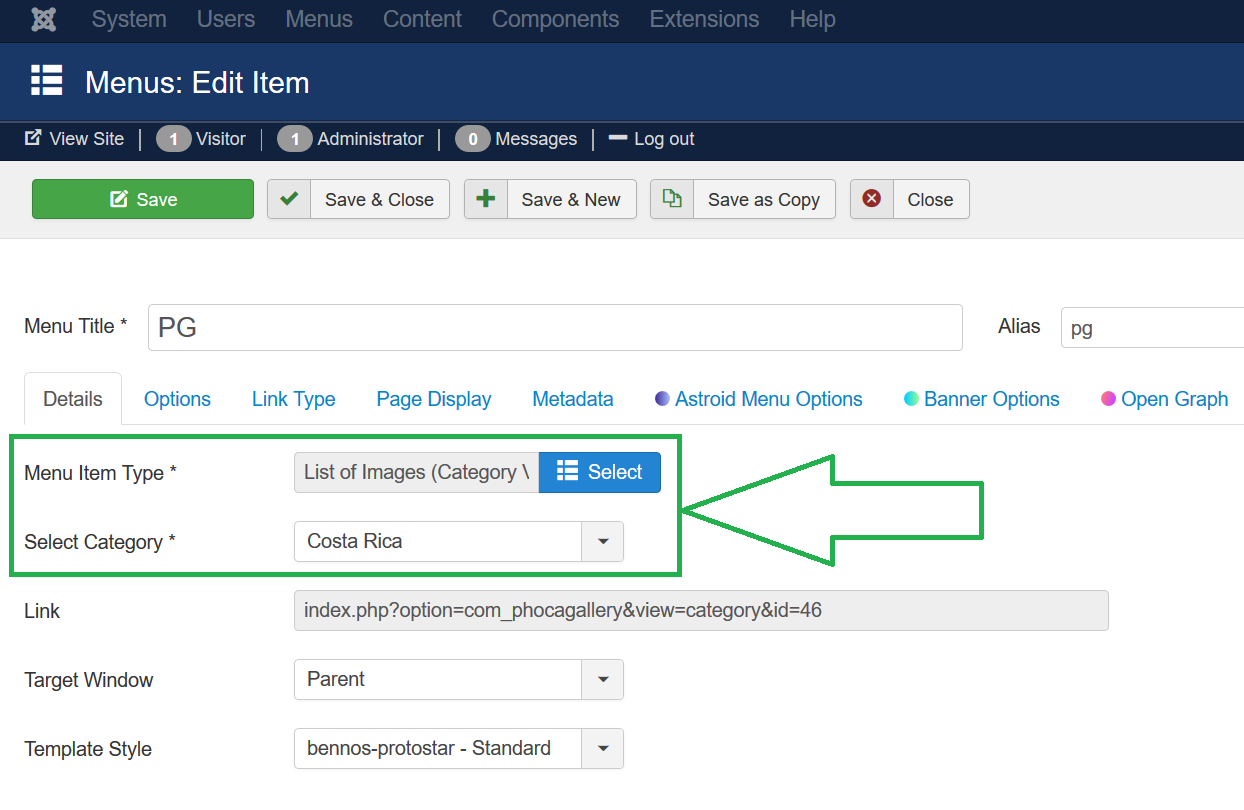
change the menu link to Phoca Gallery Component from 'Categories View' to 'Category View'.
Kind regards,
Benno
change the menu link to Phoca Gallery Component from 'Categories View' to 'Category View'.
Kind regards,
Benno
-
theowalker
- Phoca Newbie

- Posts: 2
- Joined: 29 Jul 2020, 14:50
Re: Image Display
I did that and when I click the link, the folder is still showing up.
Here is the link - https://casadeoro.com/index.php/designe ... ve-jewelry.
I prefer when I click the above link, all the images in that folder automaticaly shows without click on the folder. It will automatically open to the images.
Here is the link - https://casadeoro.com/index.php/designe ... ve-jewelry.
I prefer when I click the above link, all the images in that folder automaticaly shows without click on the folder. It will automatically open to the images.
-
Benno
- Phoca Hero
- Posts: 10300
- Joined: 04 Dec 2008, 11:58
- Location: Germany
- Contact:
Re: Image Display
Hi,
did you really change the menu item?
Backend setting:
Frontend result:
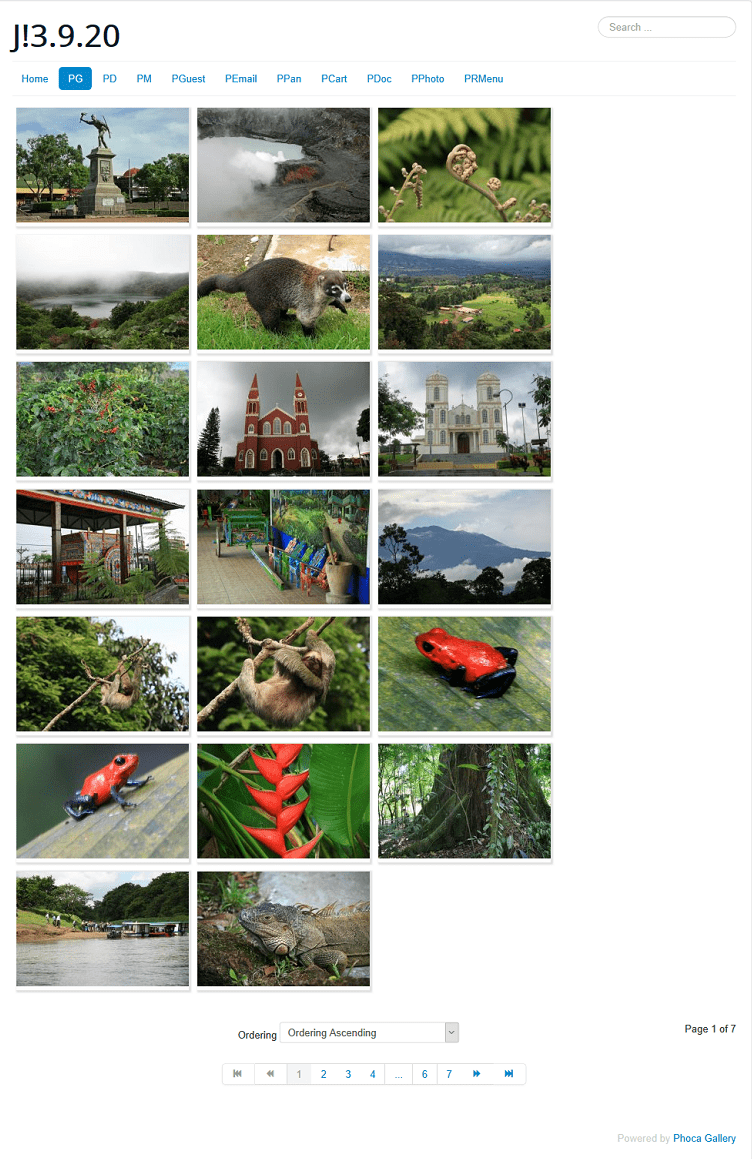
Kind regards,
Benno
did you really change the menu item?
Backend setting:
Frontend result:
Kind regards,
Benno