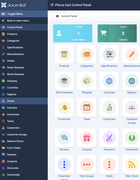
Hi, Phoca Cart is ready for this, you can easily set your own items - per CSS:
- you can see commented examples here:
media/com_phocacart/css/administrator/phocacartcustom.css
Just uncomment and select which items will be displayed (add them to your custom.css so the changes are not overriden)
The problem is, it works the same like with conditioned parameters - many users are confused and asked where are such parameters / such views in past (and it must be explained that some parameter needs to be selected to display another, the similar was with hiding different views, then users thing, such features don't exist).
In real world, administrator just hides the items for managers and let them see only they which they used.
Example, managers are ID 6, so we hide in your custom.css some items for them:
Code: Select all
/*#phocacartitem.group-6 joomla-tab-element#general, #phocacartitem.group-6 joomla-tab button[aria-controls="general"],*/
#phocacartitem.group-6 joomla-tab-element#image, #phocacartitem.group-6 joomla-tab button[aria-controls="image"],
#phocacartitem.group-6 joomla-tab-element#attributes, #phocacartitem.group-6 joomla-tab button[aria-controls="attributes"],
#phocacartitem.group-6 joomla-tab-element#specifications, #phocacartitem.group-6 joomla-tab button[aria-controls="specifications"],
#phocacartitem.group-6 joomla-tab-element#related, #phocacartitem.group-6 joomla-tab button[aria-controls="related"],
#phocacartitem.group-6 joomla-tab-element#stock, #phocacartitem.group-6 joomla-tab button[aria-controls="stock"],
#phocacartitem.group-6 joomla-tab-element#discount, #phocacartitem.group-6 joomla-tab button[aria-controls="discount"],
#phocacartitem.group-6 joomla-tab-element#download, #phocacartitem.group-6 joomla-tab button[aria-controls="download"],
#phocacartitem.group-6 joomla-tab-element#size, #phocacartitem.group-6 joomla-tab button[aria-controls="size"],
#phocacartitem.group-6 joomla-tab-element#reward, #phocacartitem.group-6 joomla-tab button[aria-controls="reward"],
#phocacartitem.group-6 joomla-tab-element#feed, #phocacartitem.group-6 joomla-tab button[aria-controls="feed"],
#phocacartitem.group-6 joomla-tab-element#metadata, #phocacartitem.group-6 joomla-tab button[aria-controls="metadata"] {
	display: none;
}
/*
#phocacartitem.group-6 joomla-tab > joomla-tab-element#publishing {
    display: block;
}*/

#phocacartitem.group-6 .ph-par-published,
#phocacartitem.group-6 .ph-par-type,
#phocacartitem.group-6 .ph-par-language,
#phocacartitem.group-6 .ph-par-date,
#phocacartitem.group-6 .ph-par-date_update,
#phocacartitem.group-6 .ph-par-catid_multiple,
#phocacartitem.group-6 .ph-par-tags,
#phocacartitem.group-6 .ph-par-taglabels,
#phocacartitem.group-6 .ph-par-created,
#phocacartitem.group-6 .ph-par-created_by,
#phocacartitem.group-6 .ph-par-modified,
#phocacartitem.group-6 .ph-par-modified_by,
#phocacartitem.group-6 .ph-par-hits,
#phocacartitem.group-6 .ph-par-sales,
#phocacartitem.group-6 .ph-par-gift_types {
	display: none;
}

/* general */
#phocacartitem.group-6 .ph-par-price_original,
#phocacartitem.group-6 .ph-par-tax_id,
#phocacartitem.group-6 .ph-par-catid_multiple,
#phocacartitem.group-6 .ph-par-catid,
#phocacartitem.group-6 .ph-par-manufacturer_id,
#phocacartitem.group-6 .ph-par-sku,
#phocacartitem.group-6 .ph-par-upc,
#phocacartitem.group-6 .ph-par-ean,
#phocacartitem.group-6 .ph-par-jan,
#phocacartitem.group-6 .ph-par-mpn,
#phocacartitem.group-6 .ph-par-isbn,
#phocacartitem.group-6 .ph-par-serial_number,
#phocacartitem.group-6 .ph-par-registration_key,
#phocacartitem.group-6 .ph-par-external_id,
#phocacartitem.group-6 .ph-par-external_key,
#phocacartitem.group-6 .ph-par-external_link,
#phocacartitem.group-6 .ph-par-external_text,
#phocacartitem.group-6 .ph-par-external_link2,
#phocacartitem.group-6 .ph-par-external_text2,
#phocacartitem.group-6 .ph-par-access,
#phocacartitem.group-6 .ph-par-group,
#phocacartitem.group-6 .ph-par-featured,
#phocacartitem.group-6 .ph-par-featured_background_image,
#phocacartitem.group-6 .ph-par-video,
#phocacartitem.group-6 .ph-par-public_download_file,
#phocacartitem.group-6 .ph-par-public_download_text,
#phocacartitem.group-6 .ph-par-public_play_file,
#phocacartitem.group-6 .ph-par-public_play_text,
#phocacartitem.group-6 .ph-par-condition,
#phocacartitem.group-6 .ph-par-type_feed,
#phocacartitem.group-6 .ph-par-type_category_feed,
#phocacartitem.group-6 .ph-par-features,
#phocacartitem.group-6 .ph-par-special_parameter,
#phocacartitem.group-6 .ph-par-special_image,
#phocacartitem.group-6 .ph-par-description,
#phocacartitem.group-6 .ph-par-description_long,
#phocacartitem.group-6 .ph-par-gift_types {
	display: none;
}
The similar way works with input form fields:
https://www.phoca.cz/documentation/115- ... nistration
https://www.phoca.cz/documentation/115- ... 4-css-tips