

hello
how add a user to phoca Gallerie.
i have some registerd user in Joomla but how to tell this user to be able to work with phoca?
user should have right to add/create a Catergorie
user should have rigth to upload in Categories.
user should have right to add keyword, Text usw. to there Photos
do the user have to do it in the backend or it is possible in frontend?
on the documentation site i did not find any information about this Thema!
have a nice day
vinc
Phoca User management
-
KarEm

- Phoca Professional

- Posts: 154
- Joined: 20 Dec 2015, 21:25
Re: Phoca User management
Hi vinc,
have you already looked at this doc:
https://www.phoca.cz/documents/2-phoca- ... ser-upload?
Regards
KarEm
have you already looked at this doc:
https://www.phoca.cz/documents/2-phoca- ... ser-upload?
Regards
KarEm
-
HansLustig

- Phoca Member

- Posts: 13
- Joined: 13 Dec 2019, 19:34
Re: Phoca User management
Hello;
Create a menu item with login for your members, which you put on Phoca Gallery »Member Control Center. You give the menu the right "Registered"; only visible after login.
[Note: do not set the login to Home, hide it in other pages :)] -
You make all other settings via the backend.
Please onel01
Create a menu item with login for your members, which you put on Phoca Gallery »Member Control Center. You give the menu the right "Registered"; only visible after login.
[Note: do not set the login to Home, hide it in other pages :)] -
You make all other settings via the backend.
Please onel01
-
Jan

- Phoca Hero

- Posts: 49586
- Joined: 10 Nov 2007, 18:23
- Location: Czech Republic
- Contact:
Re: Phoca User management
Hi, rights are assigned to categories, so if there is a link to UCP, and user has rights to some category (upload, delete, access, ...) then he is just able to upload images to such category.
https://www.phoca.cz/documents/2-phoca- ... ser-upload
Jan
https://www.phoca.cz/documents/2-phoca- ... ser-upload
Jan
If you find Phoca extensions useful, please support the project
-
vikozo
- Phoca Member
- Posts: 27
- Joined: 22 Jun 2015, 08:58
Re: Phoca User management
@jan Thanks for your feedback
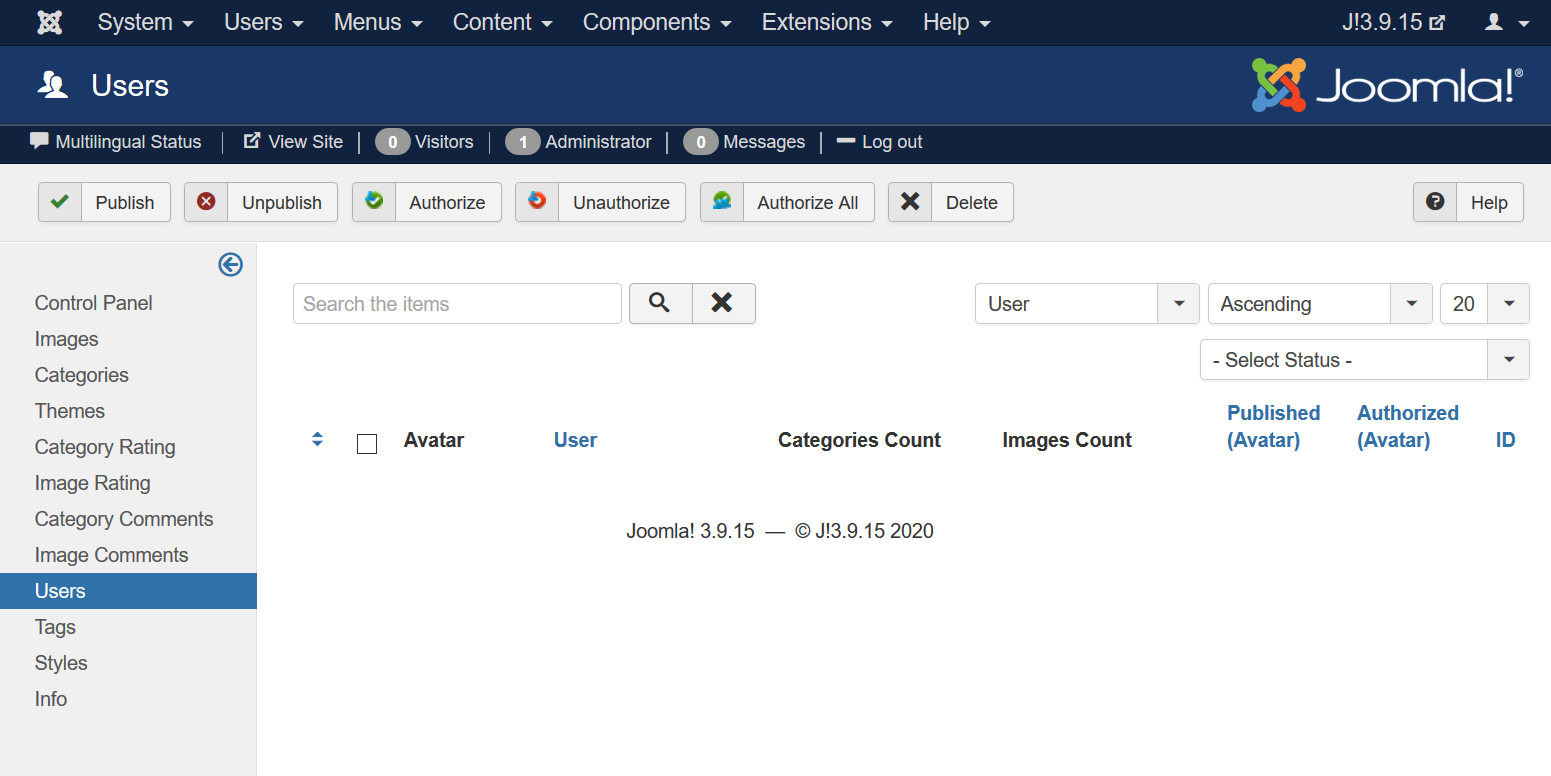
in the backend in Phoca Gallery Control Panel I have Users Button but it is empty!
should registerd Joomla user not be in this Group too?
if no how to add registerd yoomla User to Phoca Gallery Users?
Or how to create a new User to get access to Phoca and it will also need to get access to joomla backend too.
somewher i have a knots in my brain sorry
in the backend in Phoca Gallery Control Panel I have Users Button but it is empty!
should registerd Joomla user not be in this Group too?
if no how to add registerd yoomla User to Phoca Gallery Users?
Or how to create a new User to get access to Phoca and it will also need to get access to joomla backend too.
somewher i have a knots in my brain sorry
-
Jan
- Phoca Hero
- Posts: 49586
- Joined: 10 Nov 2007, 18:23
- Location: Czech Republic
- Contact:
Re: Phoca User management
Hi, in backend, all who have access can manage Phoca Gallery. So it depends on your needs. Should the users have access to backend to manage Phoca Gallery? If yes, they just need to have access to backend. If no and only frontend should be active. Then all users who log in in frontend and have access/upload rights to selected category, they can manage it in frontend.
Jan
Jan
If you find Phoca extensions useful, please support the project
-
vikozo
- Phoca Member
- Posts: 27
- Joined: 22 Jun 2015, 08:58
Re: Phoca User management
the Problem i can't see or add a user in the Phoca User list
-
vikozo
- Phoca Member
- Posts: 27
- Joined: 22 Jun 2015, 08:58
Re: Phoca User management
i think it is strange and i just miss something but can't find it ;-(
-
Benno

- Phoca Hero
- Posts: 10300
- Joined: 04 Dec 2008, 11:58
- Location: Germany
- Contact:
Re: Phoca User management
Hi,
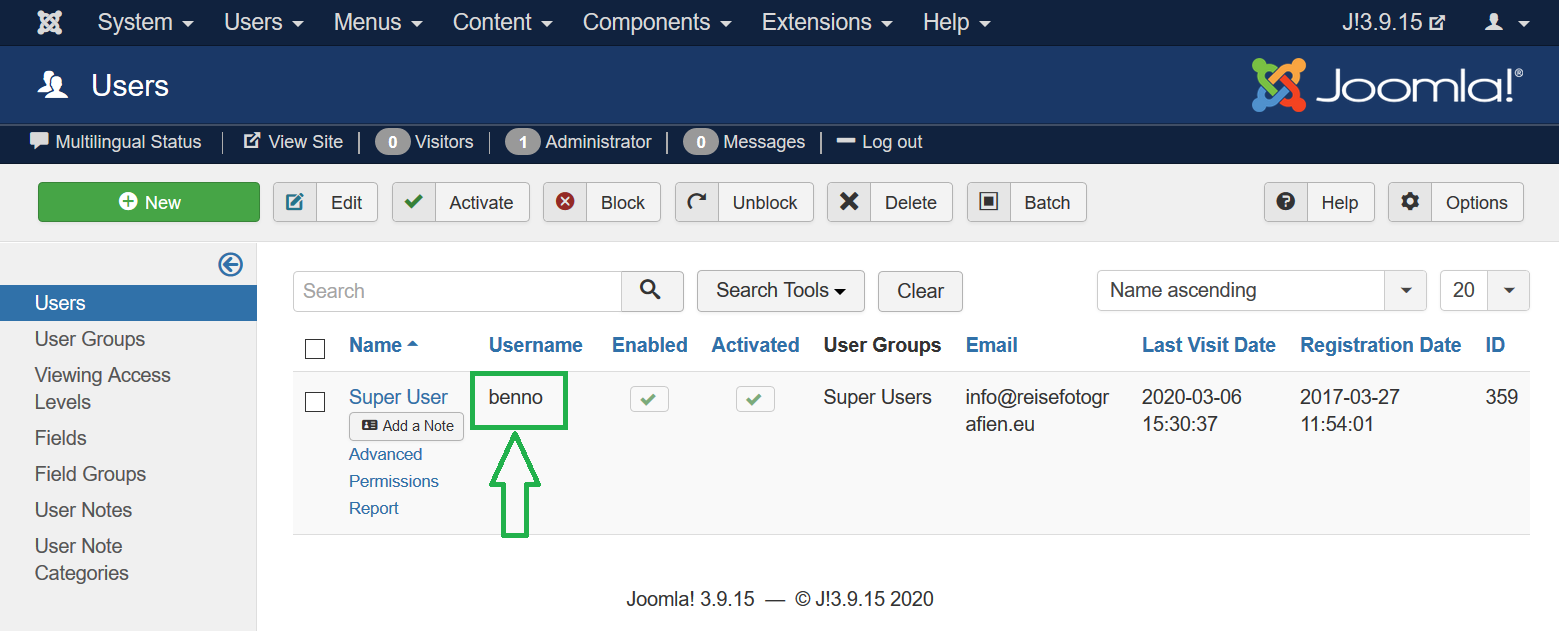
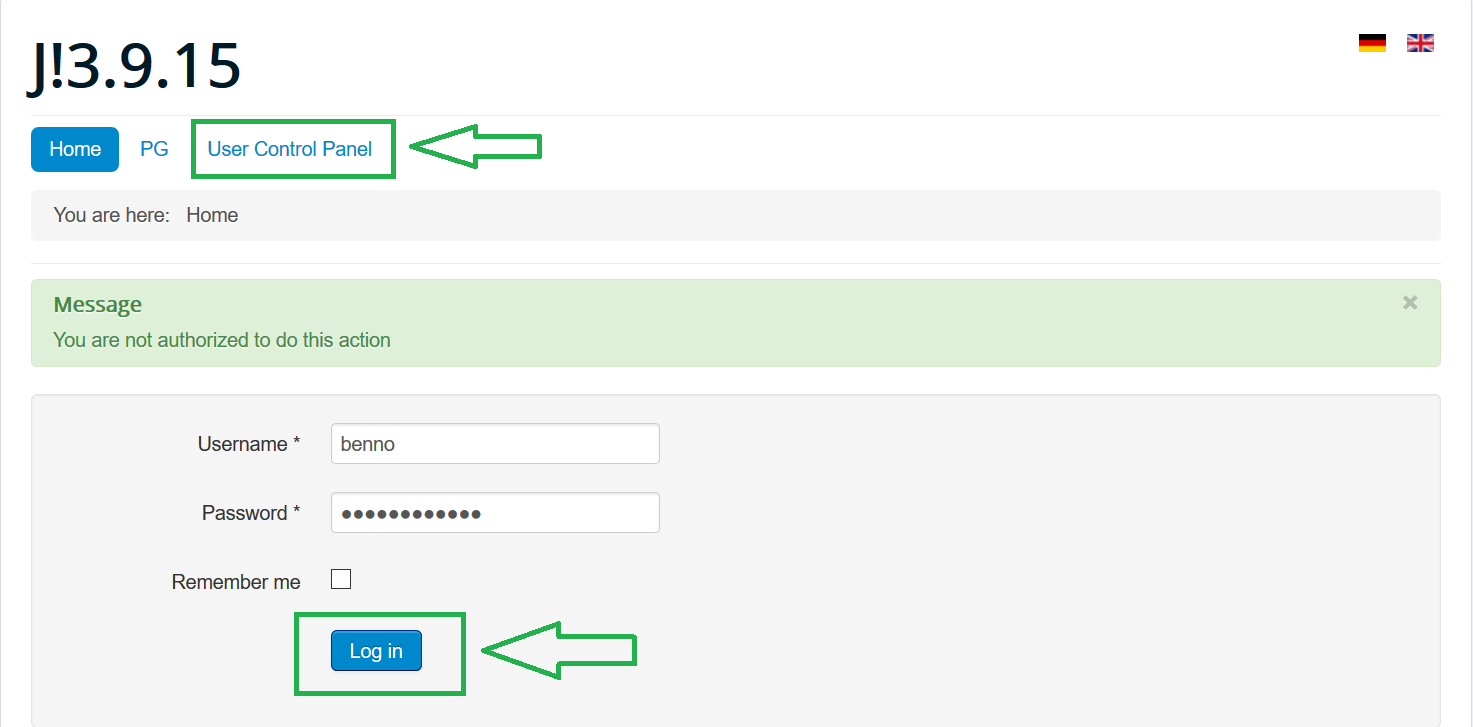
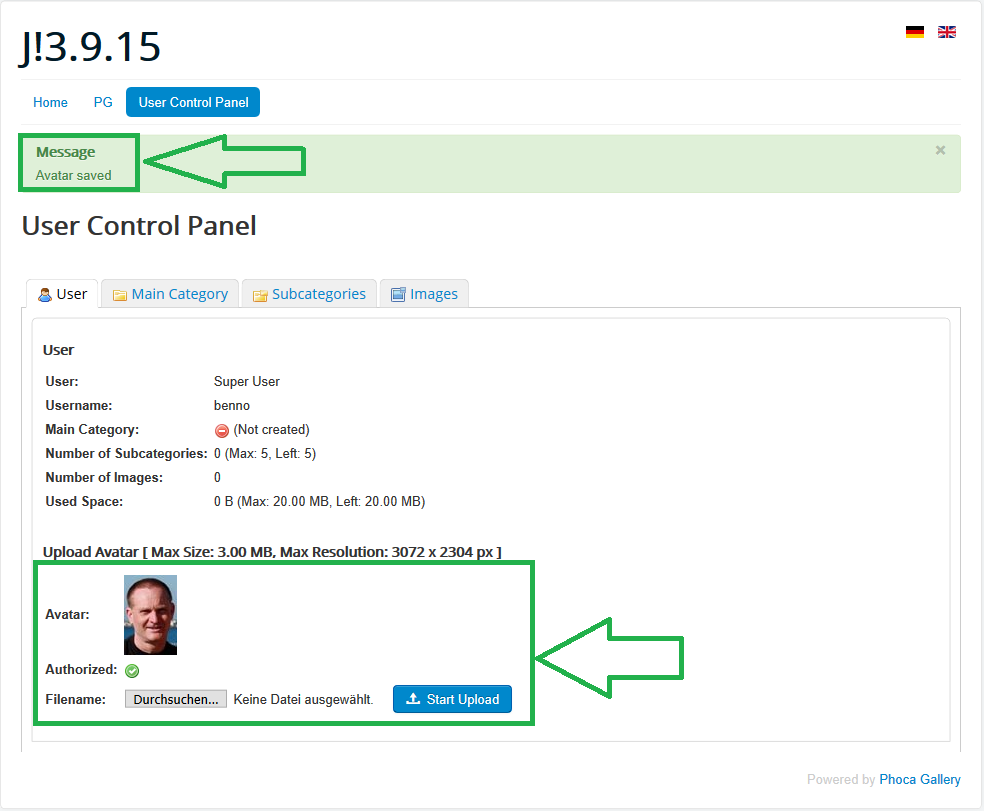
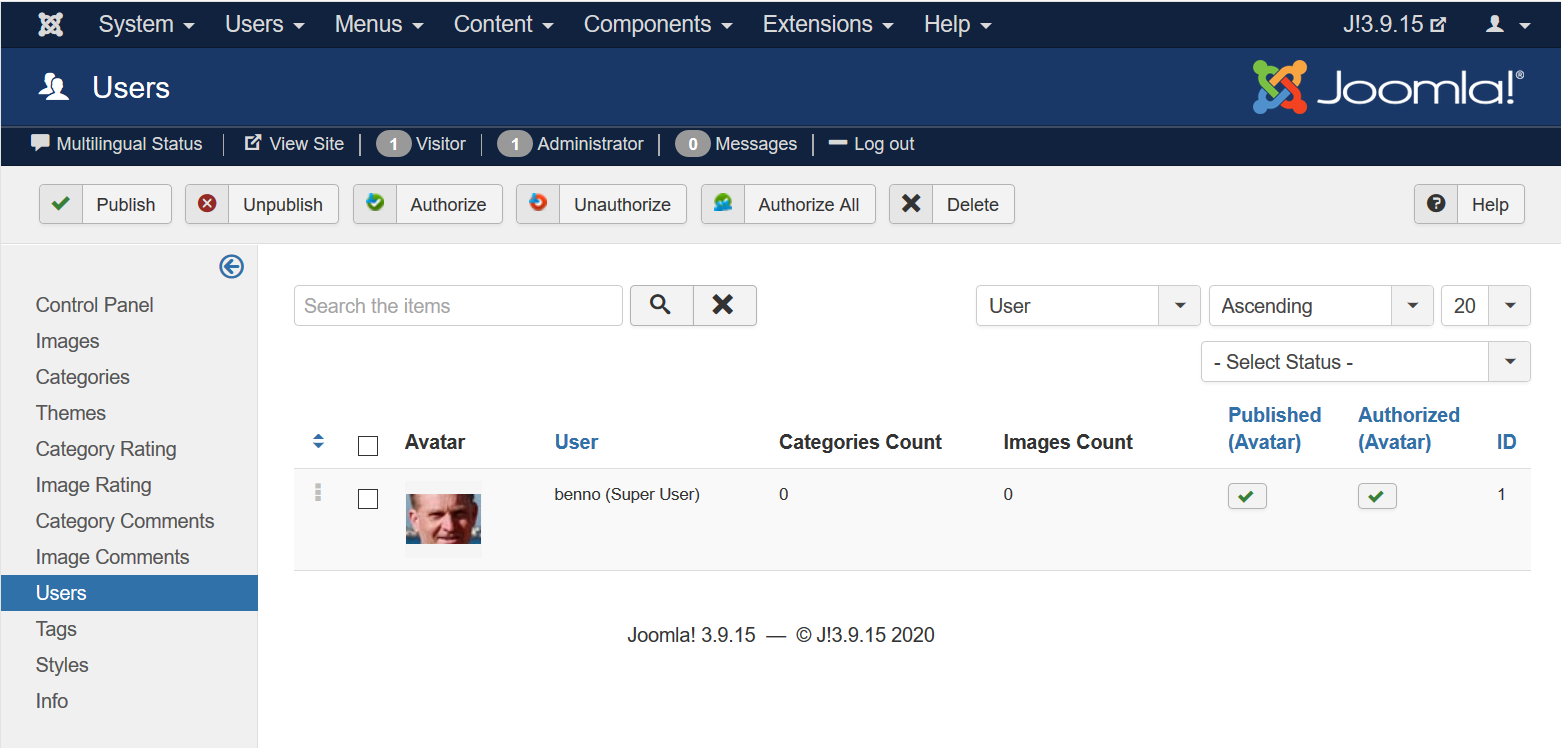
See images:
Kind regards,
Benno
There is no need to add an user to Phoca Gallery Component --> 'Users', this happens automatically if a registered Joomla! user logs in Phoca Gallery User Control Panel and create an avatar or a category.the Problem i can't see or add a user in the Phoca User list
See images:
Kind regards,
Benno
-
vikozo
- Phoca Member
- Posts: 27
- Joined: 22 Jun 2015, 08:58
Re: Phoca User management
Hello Benno vielen Dank,
the first picture, yes it is empty too in my case!
Picture 2: this is the joomla User backend, i have user there too!
and you are there as Superuser, normal user for use Phoca Gallery i think should not be superUser.
i went a step further now!
and have the user in the Phoca-User place, but not as Joomla - superUser!
Now i have created a Category, as SuperUser i give it free, in the frontend, as soon i select the Category - it jumps to the Category but not to the image to upload into this category
have a nice day
vinc
the first picture, yes it is empty too in my case!
Picture 2: this is the joomla User backend, i have user there too!
and you are there as Superuser, normal user for use Phoca Gallery i think should not be superUser.
i went a step further now!
and have the user in the Phoca-User place, but not as Joomla - superUser!
Now i have created a Category, as SuperUser i give it free, in the frontend, as soon i select the Category - it jumps to the Category but not to the image to upload into this category
have a nice day
vinc